
Symvol
AI text-to-video generator
Turn documents into teaching-quality explainer videos in 30+ languages
Reviewed by The Desk · Last verified July 2026
“Symvol is a focused, education-first text-to-video tool: it turns articles, PDFs, and docs into narrated explainer videos with learning-science-informed pacing, a human QA pass, and voices in 30+ languages, which makes it more credible for coursework and training than generic avatar generators. The tradeoff is templated, education-styled output and a free tier that lets you generate but not download.”
Skip it ifYou need cinematic, avatar-led, or heavily art-directed marketing and social video — Symvol's structured, education-styled output and download-gated free tier won't fit that brief.
What it is
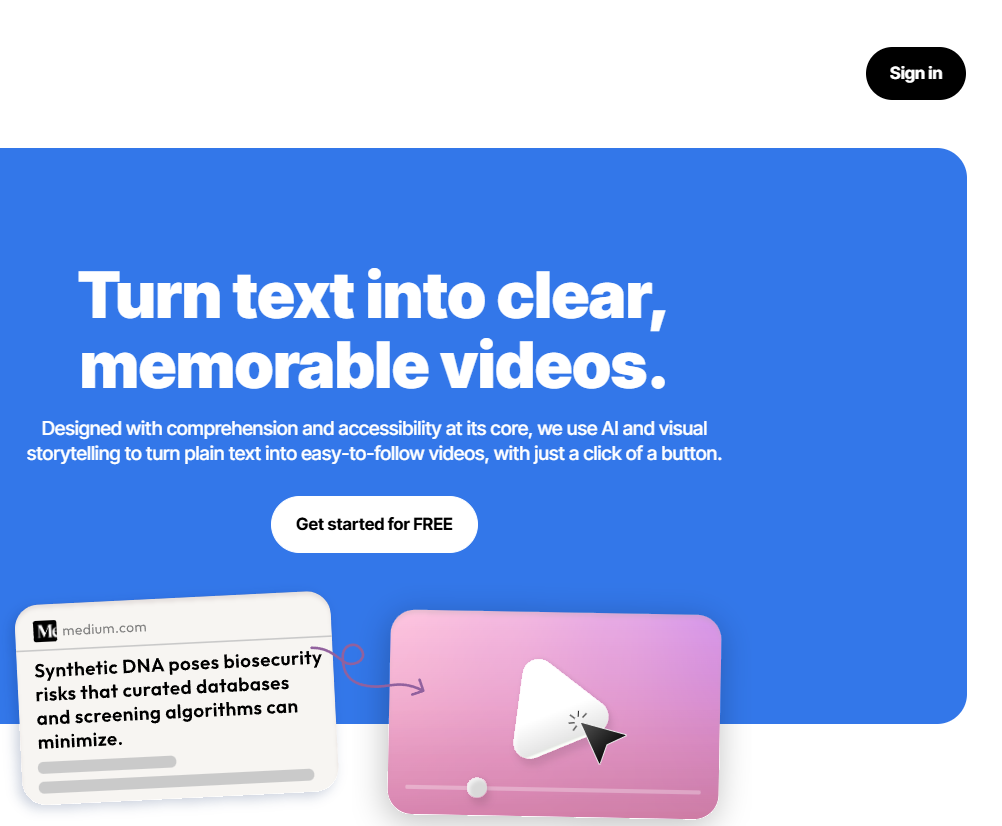
Symvol is an AI text-to-video tool built specifically for education and training. It takes written source material — articles, PDFs, e-books, course notes, documentation, even a CV — and generates a narrated explainer video, with the stated goal of making dense content easier to follow through combined visual and auditory storytelling. A Chrome extension extends the same workflow to any webpage.
Under the hood, the platform pairs proprietary models tuned to teaching-quality standards with a human review step before videos are published, which is an unusual QA promise in a space dominated by fully automated generators. Output can be produced in 30+ languages using a library of 100+ voices (including cloned voices), and can carry custom branding to fit an institution or course. The company positions the result as neurodivergent-friendly and accessibility-minded rather than flashy.
Symvol fits educators, schools, and publishers who want to turn existing text into consistent, multilingual learning videos without a production team, and its pricing (paid plans from about $4/month) is aggressive for the category. The limitations are real: the free tier generates but won't let you download, the visual style is structured and template-driven rather than cinematic, and as a product that launched in early 2025 it has a limited public track record. It's a narrow, credible tool for its niche, not a general-purpose video studio.
Key features
- One-click conversion of articles, PDFs, e-books, and webpages into narrated videos
- 100+ human-like AI voices across 30+ languages, including voice cloning
- Custom branding to match institutional or course identity
- Human-reviewed quality checks before videos are published
- Chrome extension to turn any webpage into a video
- Neurodivergent-friendly, multi-sensory output for accessibility
- API access for programmatic video generation
Who it’s for
Convert course materials and lecture notes into explainer videos
Turn PDFs and e-books into accessible video summaries
Localize educational content into 30+ languages
Produce on-brand training videos for schools and institutions
Pros & cons
The good
- Purpose-built for education: converts PDFs, docs, and webpages into structured explainer videos rather than generic clips
- Human review step plus 100+ voices across 30+ languages make output classroom-ready and multilingual
- Paid plans start around $4/month, undercutting most avatar-based video generators on price
The catch
- Free tier allows zero video downloads, so you must pay to export anything usable
- Output is templated and education-styled, not built for cinematic or brand-heavy marketing video
- Young 2025 product with a thin public track record and few independent reviews
Pricing
| Tier | Price | What you get |
|---|---|---|
| Free | Free | 50,000 characters/month · No video downloads · No branding or watermark removal |
| Starter | $4/mo | 300,000 characters/month · 3 downloads/month · Multiple video models |
| Creator | $15/mo | 500,000 characters/month · 20 downloads/month · Premium voices |
| Creator Pro | $84/mo | 1.2M characters/month · 80 downloads/month · Custom branding, no watermark |
| Business | Custom | Unlimited downloads · Higher volume · Advanced customization |
Free tier — 50,000 characters/month, 0 video downloads
Alternatives to Symvol
More AI Video →



Questions people ask
What content can Symvol turn into video?
Written material such as articles, PDFs, e-books, course notes, documentation, and even CVs, either through the web app or the Chrome extension that converts a webpage directly.
Is Symvol free?
There is a free tier with 50,000 characters per month, but it allows zero downloads. Exporting videos requires a paid plan, which starts at roughly $4/month.
How many languages and voices does it support?
Symvol offers 100+ human-like AI voices across 30+ languages, with voice cloning available on higher tiers.
Who is Symvol best for?
Educators, schools, training teams, and publishers who need accessible, on-brand explainer videos, rather than teams making cinematic marketing or social clips.