
Cursor
AI code editor
The AI-native code editor that writes and refactors alongside you
Reviewed by The Desk · Last verified July 2026
“Cursor is the tool most other AI coding assistants are measured against: its predictive Tab autocomplete and codebase-aware agent are genuinely ahead of the pack, and building on a VS Code fork means near-zero switching cost. The catch is the credit-based pricing introduced in mid-2025, which makes heavy agent usage hard to budget.”
Skip it ifYou want a lightweight or free-forever editor — serious agent use burns through credits quickly, and the usage-based billing is hard to predict month to month.
What it is
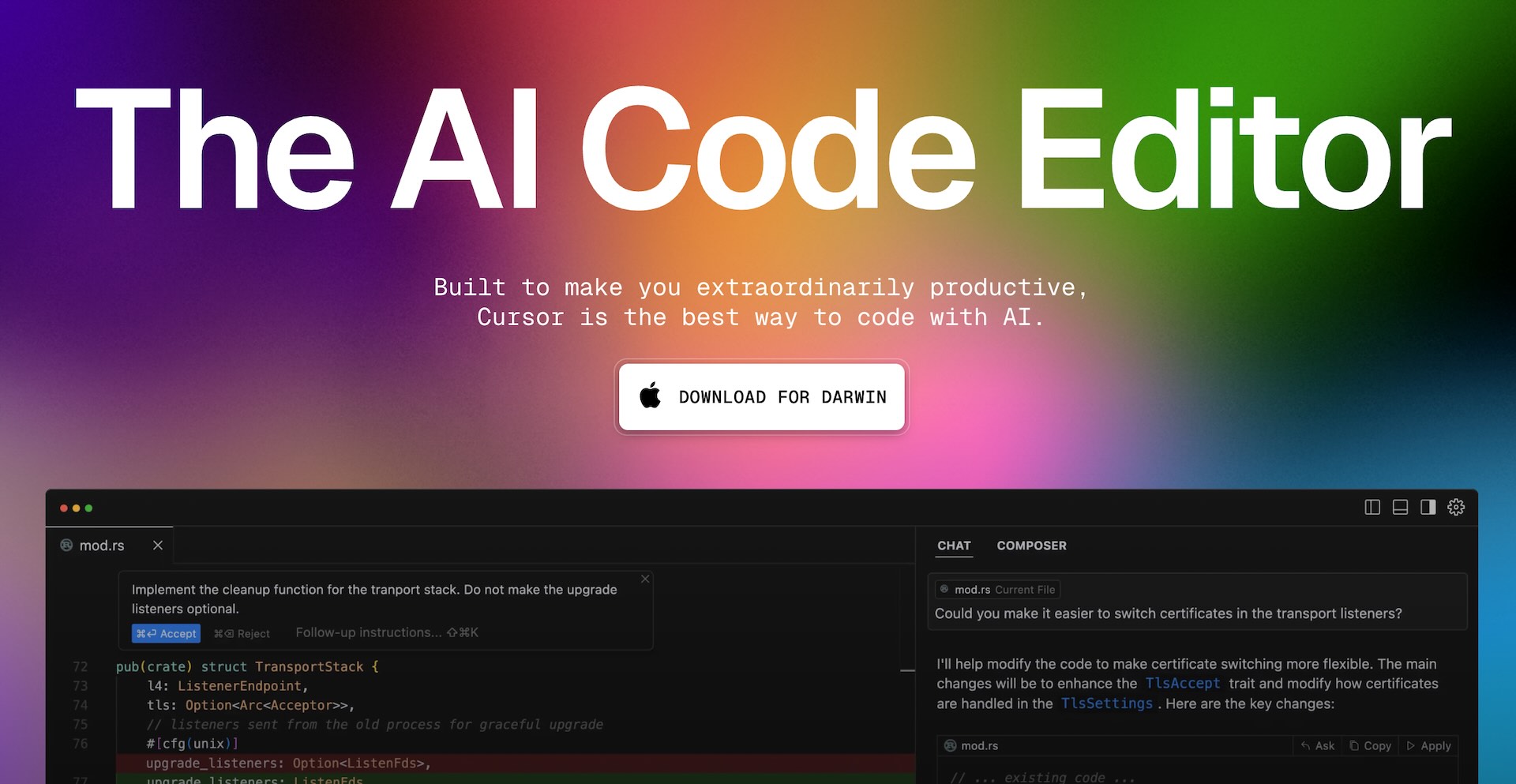
Cursor is an AI-first code editor built as a fork of Visual Studio Code, with AI woven into the core rather than bolted on as an extension. Its two standout capabilities are a predictive Tab autocomplete that suggests multi-line edits based on what you are likely to change next, and a codebase-aware agent that can plan and carry out changes across multiple files. It also offers inline natural-language edits (Cmd+K) and a chat panel grounded in an index of your repository.
Under the hood, Cursor routes requests to frontier models from Anthropic, OpenAI, and Google, letting you pick a model per task or lean on an unlimited "Auto" mode. Support for MCP servers, rules, hooks, and background/cloud agents extends it toward more autonomous workflows, and team tiers add agentic code review (Bugbot), shared context, analytics, and SSO. Because it is a VS Code fork, existing extensions and settings transfer with almost no friction.
Cursor fits developers who want AI deeply integrated into daily editing rather than as an occasional assistant, and it scales from solo builders to enterprise teams. The main trade-offs are the mid-2025 shift to credit-based billing, which makes cost hard to predict for heavy agent users, and the inherent lag and weight of tracking upstream VS Code as a fork.
Key features
- Predictive Tab autocomplete that anticipates your next edit across the file
- Agent mode that plans and executes multi-file changes end to end
- Codebase-aware chat that indexes your repo to ground answers and edits
- Inline edit (Cmd+K) to transform selected code with a natural-language prompt
- Model choice across frontier LLMs including Claude, GPT, and Gemini
- MCP servers, rules, and hooks for customizing agent behavior
- Cloud/background agents plus agentic code review via Bugbot
Who it’s for
Refactoring changes across many files at once
Ramping up on an unfamiliar codebase quickly
Generating boilerplate, scaffolding, and tests
Debugging with full-repository context
Pros & cons
The good
- Best-in-class Tab autocomplete that predicts multi-line edits, not just the next token
- Deep codebase indexing makes chat answers and multi-file edits genuinely context-aware
- VS Code fork means existing extensions, keybindings, and settings carry over instantly
The catch
- The June 2025 credit-based pricing is confusing and can get expensive for heavy agent users
- As a VS Code fork it trails upstream releases and can feel heavier than vanilla VS Code
- Frontier models deplete credits fast, so Pro users regularly hit limits mid-month
Pricing
| Tier | Price | What you get |
|---|---|---|
| Hobby | Free | Limited Agent requests · Limited Tab completions |
| Pro | $20/mo | Extended Agent limits · Frontier model access · MCPs, skills, and hooks · Cloud agents |
| Pro+ | $60/mo | Higher usage limits for daily agent users |
| Ultra | $200/mo | Maximum usage limits for agent power users |
| Teams | $40/mo | Everything in Individual · Centralized billing · Agentic code reviews · Usage analytics · SAML/OIDC SSO |
| Enterprise | Custom | Pooled usage · SCIM seat management · Access and security controls · Audit logs · Priority support |
Free tier — Limited Agent requests and Tab completions
Alternatives to Cursor
More Coding & Dev → Bolt.new4.4Prompt to a live full-stack web app in your browser in minutes
 Zencoder4.1Multi-model AI coding agents that live in your IDE and workflow
 Deepseek4.5Frontier-grade reasoning at open-source, pennies-per-token cost
 MGX4.2Turn a prompt into a shipped app with an AI agent team
Questions people ask
Is Cursor free to use?
Yes, there is a free Hobby tier with a limited number of Agent requests and Tab completions. Paid plans start at $20/month for Pro, with Pro+ ($60) and Ultra ($200) for heavier usage.
How is Cursor different from GitHub Copilot?
Cursor is a full VS Code fork with AI built into the core, rather than an extension. It offers deeper codebase indexing, a stronger multi-file agent, and predictive multi-line autocomplete, whereas Copilot layers onto your existing editor.
Does Cursor work with my existing VS Code setup?
Yes. Because Cursor is forked from VS Code, most extensions, themes, keybindings, and settings can be imported, so the switching cost is low.
How does Cursor's credit-based pricing work?
Since mid-2025, each paid plan includes a credit pool roughly equal to its price. Auto mode is unlimited, but manually selecting a frontier model like Claude or GPT draws down credits, after which usage-based billing applies.